



|
What type of training
do you prefer — seminar-style, or hands-on
exercises? Adobe InDesign CS5/CS5.5/CS6/CC
Adobe Digital Publishing Suite, Single Edition
Adobe Illustrator CS5/CS6/CC
Adobe Photoshop CS5/CS6/CC
|




 |
Acrobat is SO much more than just a PDF viewer. Learn how to create engaging interactive PDFs, how to combine and edit PDFs, and how to create the correct type of PDF from Office or graphics applications. Using PDF in print? Learn how to preflight, troubleshoot, and edit PDFs. |
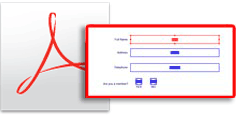
Adobe Acrobat X/XI Professional: Creating Forms
 |
|
Why Practicalia is Different
Our goal is to give you the most useful training possible. Before any training, we want to know how you use the software, so your training can be customized to be most beneficial for you...
What kind of work do you produce?
What other applications do you use?
What is your current experience?
What are your goals?
What problems do you need to solve?
In addition, clients receive technical support after training to ensure that they're comfortable with applications as they create real-world work.
You are always welcome to contact us when you have questions or problems—you can even send Evil Files for troubleshooting.